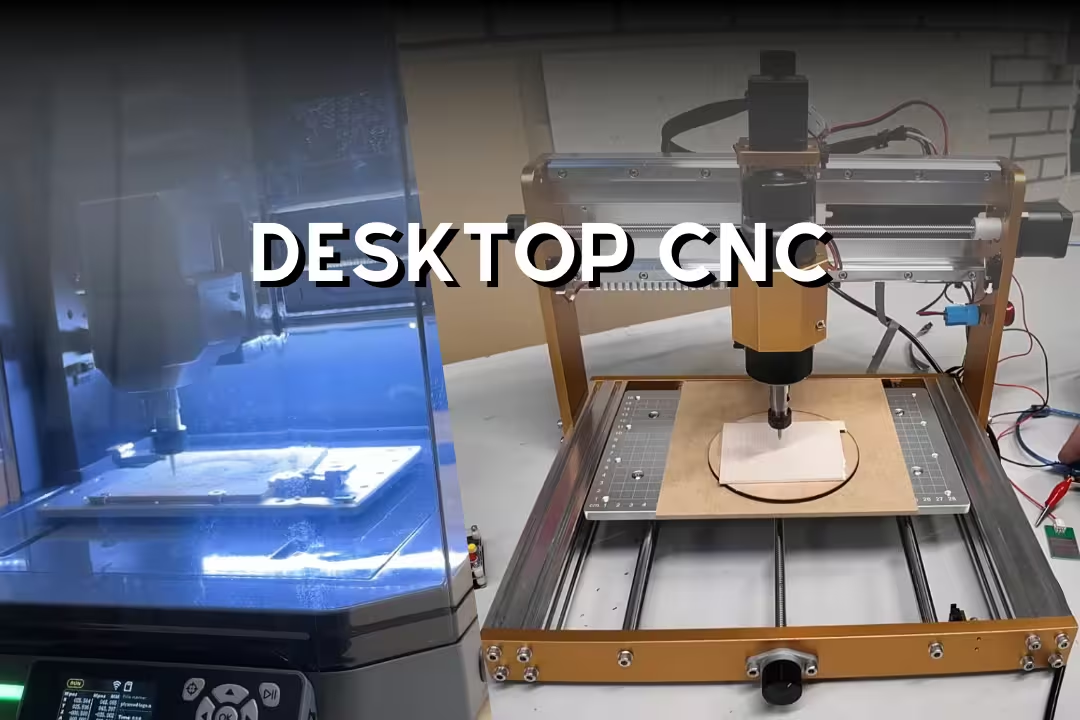

A desktop CNC is a compact CNC router or mill that fits on a bench and cuts or engraves parts from wood, plastic, and light metals using G-code. Expect smaller work areas than shop machines, more noise and dust than you think, and best results when you match feeds, speeds, and rigidity to the material.
Table of Contents
Most affordable desktop units land in the $200–$1,000 range and trade raw cutting strength for size and convenience; they’re ideal for signs, jigs, PCB isolation milling, and small aluminum parts when you keep cuts light. For selection criteria and typical specs like travel and tolerances, I cross-check against roundups such as best desktop CNC machines 2026: what to look for .
Desktop CNC overview: what to expect
A desktop CNC machine is basically a 3-axis motion platform (X/Y/Z) that moves a spinning cutter through material. In practice, the biggest limiter isn’t just “power”—it’s how much the frame flexes when the tool bites, which shows up as chatter you can hear and a slightly frosted edge you can feel with your fingertip.
Typical size
Most hobby-class machines sit around 300×180mm up to roughly 600×600mm of usable travel, and they’re happiest when the machine has room for chip clearance and clamps around the work. Bench space matters more than people expect: the gantry needs rear clearance for cable chains, and you’ll want a side spot for the controller and a vacuum hose that won’t tug mid-job.
If you’re comparing a desktop CNC router to a desktop milling machine, the “router” label usually means a larger, lighter frame optimized for wood and plastic, while “mill” implies more rigidity and better behavior in aluminum. The edge case: a small “mill-like” machine can still behave like a router if the spindle mount and Z-axis have play, so always check Z rigidity and not just the nameplate.
Materials and projects
A desktop CNC mill or router commonly handles wood, MDF, acrylic, plastics (HDPE, Delrin), PCB isolation milling, and light metals like aluminum or brass when you use conservative depths of cut. A reliable “feel” test after tuning is rubbing a machined acrylic edge: it should feel slick and continuous, not ribbed from chatter or melted from rubbing.
Project types that stay in the sweet spot include inlays, small joinery jigs, guitar pedal enclosures, custom brackets, nameplates, and PCB prototypes. If your goal is cabinet parts or full guitar bodies, a desktop footprint turns into a constraint fast, which is where a larger dedicated CNC router starts to make more sense (see our guide on CNC router basics for sizing).
Key performance stats
Specs get marketed aggressively, so I focus on a few numbers that connect to real outcomes: spindle power (how hard you can push), travel speed (how long jobs take), and repeatability (whether holes line up on the second part). Commonly advertised figures for desktop-class machines include up to about 1.5kW spindle options, around 3000mm/min travel on many hobby builds, and motion tolerance claims around 0.01mm—use those as best-case targets, not guarantees.
| Spec you’ll see | What it changes in real cuts | What beginners miss |
|---|---|---|
| Work area (X/Y/Z) | Max part size and tool clearance | Clamps and probes steal usable space |
| Spindle/router watts | Chip load capacity, stalling risk | Rigidity limits power you can use |
| RPM range | Finish quality, heat generation | Too much RPM melts plastics |
| Drive type (leadscrew/belt) | Backlash, speed, maintenance | Loose belts mimic “bad calibration” |
| Limit switches & E-stop | Safer homing and fewer crashes | Homing wrong direction can still crash |
For a quick baseline on common desktop CNC positioning concepts (repeatability vs. accuracy) and why spec sheets can mislead, I reference industry explanations like The top CNC machines (HeatSign, accessed February 2026) when comparing marketing claims across brands.
Why an affordable desktop CNC machine makes sense
An affordable desktop CNC machine makes sense when you want repeatable parts without needing shop space, three-phase power, or industrial tooling. You’ll still invest time in setup and learning feeds/speeds, but you can produce clean work that’s hard to do by hand—like consistent pocket depths and perfectly mirrored parts.
Beginner-friendly controls
Most entry machines use GRBL control, which means you can run common senders (like UGS, Candle) and standard CAM post-processors without fighting proprietary formats. The practical win is sensitivity: you can tweak acceleration, max travel, and step calibration when you see skipped steps, instead of guessing why a circle became an oval.
A common beginner mistake is starting with aggressive default feeds from a random chart and then blaming the machine when it chatters. My workaround is to start with a known-safe recipe: shallow depth of cut, moderate RPM, and keep chip load consistent by lowering feed only as a last resort (slowing feed too far can cause rubbing and heat, which is worse in acrylic and aluminum).
Safety and enclosure benefits
Enclosures aren’t just about fingers—they control dust and chips that otherwise end up in keyboard keys, drawer slides, and lungs. When a bit snaps, you’ll hear a sharp “ping,” then feel grit on your forearms if the workspace is open; an enclosure keeps most of that contained and makes cleanup a quick vacuum pass instead of a full-room wipe-down.
Noise is another overlooked safety factor: many spindles and trim routers sit in the pitch range that causes fatigue fast, even through doors. If your machine supports it, pair an enclosure with a dust shoe and a small cyclone separator to keep filters from clogging mid-job (clogging reduces suction, chips recut, heat rises, and finishes get worse).
Versatility and add-ons
A desktop CNC router can grow with you through add-ons like better spindles, limit switches, probing plates, or even a 4th axis for rotary parts. The trade-off is that upgrades can expose the next weak link—adding a stronger spindle often reveals that the Z-axis flex or gantry alignment was the true limiter all along.
If you like multi-tool workflows, a CNC complements laser-style marking for labels and templates, then you mill pockets and profiles for fit. That pairing works nicely if you’re also comparing compact lasers like the xTool F1 for quick marking versus slower but deeper CNC engraving.
Desktop CNC buying guide: how to choose
Picking the right desktop CNC mill is mostly about matching work envelope and rigidity to your projects, then choosing a control/software path you won’t hate using. I plan purchases backward from the hardest material I’ll cut weekly, not the occasional “maybe I’ll machine aluminum” goal.
Work area range
Work area drives what you can make in one setup, which drives accuracy because every re-clamp adds error. If you cut signs, you’ll want more X/Y; if you cut thicker blocks or use vises, you’ll want more Z clearance than many 3018-class machines provide.
- Small (around 300×180mm): tags, PCBs, small brackets, inlays
- Medium (around 300×300 to 400×400): small signs, templates, boxes
- Larger (around 600×600): furniture templates, bigger signage, nested parts
Spindle power
Spindle power matters most when you want higher material removal without stalling, but power without stiffness just makes louder mistakes. For wood and acrylic, a modest spindle can work if you keep chip evacuation good; for aluminum, you’ll get better results from a rigid frame at lighter cuts than from a high-watt spindle on a flexible chassis.
Precision and rigidity
Advertised “0.01mm precision” often reflects step resolution, not real cutting outcomes when the tool loads the frame. I check rigidity by watching for tool deflection marks: if walls show waviness or corners look slightly rounded, reduce stick-out, use a shorter cutter, and lower depth of cut before you chase calibration fixes.
Backlash and squareness cause classic beginner pain: pockets that don’t close and two-sided jobs that don’t line up. A pro move is cutting a calibration square in MDF, measuring diagonals, then re-tramming the spindle mount and re-squaring the gantry—software compensation can’t fully fix a racked frame.
Software and GRBL
GRBL-based desktop CNC machines stay popular because they work with common CAM posts and senders, and you can swap between macOS/Windows workflows more easily. Watch the edge case: some “offline controllers” feel convenient, but they can hide feed overrides or limit your ability to pause safely, so I still like having a laptop nearby for first runs.
If you’re new to CAM, pick software that makes tool libraries and work coordinate setup clear, otherwise you’ll waste bits by zeroing wrong (wrong Z-zero is the fastest way to gouge a wasteboard). For deeper router setup concepts and workholding tips, our walkthrough on CNC zone router covers the “why did my part shift?” problems that show up in real cutting.
Budget tiers
I think in tiers so expectations stay realistic: under $300 is about learning and light materials, $500–$900 is where rigidity and features improve, and under $1,000 can get you a larger desktop CNC router footprint. For pricing bands and availability, I sanity-check listings against retailers like MatterHackers desktop CNC machines (accessed February 2026), since individual Amazon prices swing week to week.
Genmitsu 3018-PRO CNC Kit (entry-level)
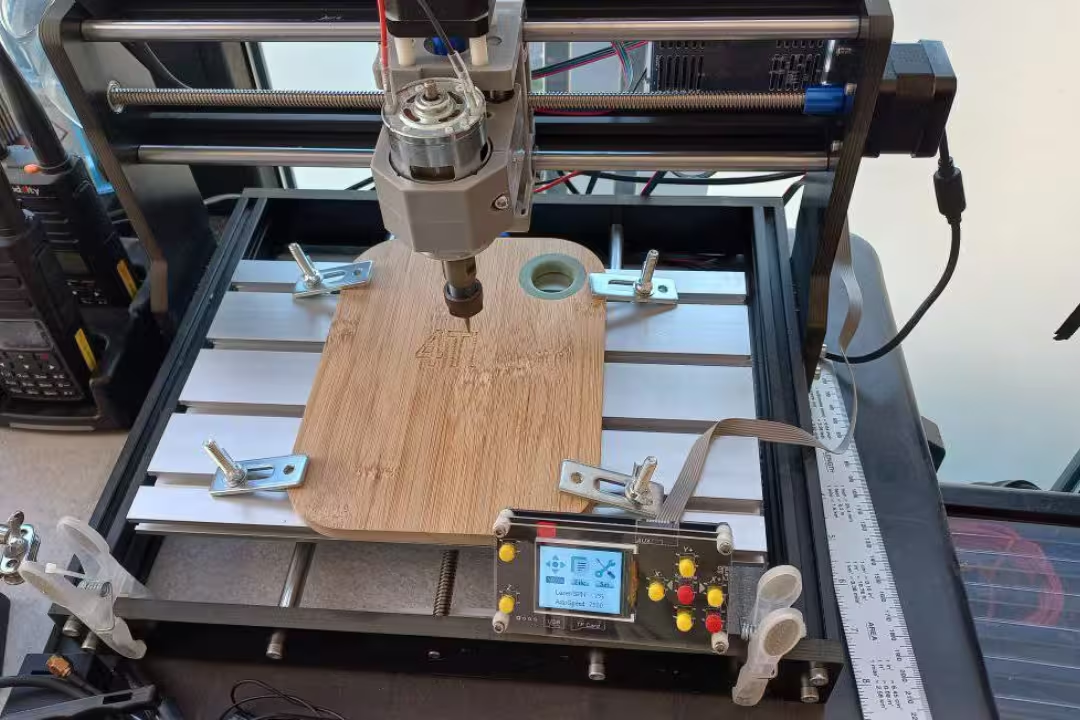
This is the classic starter desktop CNC machine: small footprint, GRBL-based, and easy to modify once you outgrow the stock setup. It’s best viewed as a learning platform for toolpaths, workholding, and setup discipline rather than a fast production machine.
Best for beginners
I like this style of kit for beginners because you can feel how each adjustment changes results: tighten a pulley and circles improve, reduce stick-out and chatter drops, add a better spoilboard and surfacing gets clean. The most common early mistake is skipping spoilboard surfacing; once you face the spoilboard flat to the machine, Z-depth becomes predictable and pockets stop looking uneven.

Genmitsu 3018-PRO CNC Kit
- GRBL control for broad software compatibility and easy tuning
- Offline controller for running jobs without a computer
- Ideal for hobby projects in plastic, acrylic, PCB, and wood
- Kit format is beginner friendly and customizable
- 300 x 180 x 45 mm workspace suits small to medium tasks
 Buy on Amazon
MYSWEETY 1610 CNC Machine (lowest-cost router)
This style of ultra-budget desktop CNC router appeals when you want the lowest entry price and a big “try it and see” platform for wood engraving. The trade-off is you’ll spend more time tuning and re-checking fasteners, belt tension, and squareness than you would on a better frame.
Best budget pick
It’s a reasonable pick for light engraving, foam, and soft wood projects where finish quality isn’t ultra-critical. If your goal is aluminum brackets with tight hole spacing, you’ll hit the rigidity wall quickly and will be happier stepping up to a stiffer machine.
Key specs
Listings commonly highlight a larger work envelope for the price and high RPM marketing, but the practical metric is whether it holds geometry during a cut. Use a simple test file—like a grid of pockets—and look for consistent depths and clean corners before you attempt longer jobs.
Limitations to know
The main limitation is that you can’t “buy” accuracy with calibration alone if the structure flexes; you’ll see it as ripples on sidewalls and tool marks that change when direction changes. Beginners often compensate by slowing feeds too far, which creates heat and rubbing that dulls bits early—use sharp cutters, shallow passes, and solid workholding instead.
Genmitsu 3020-PRO MAX V2 (compact desktop milling machine)
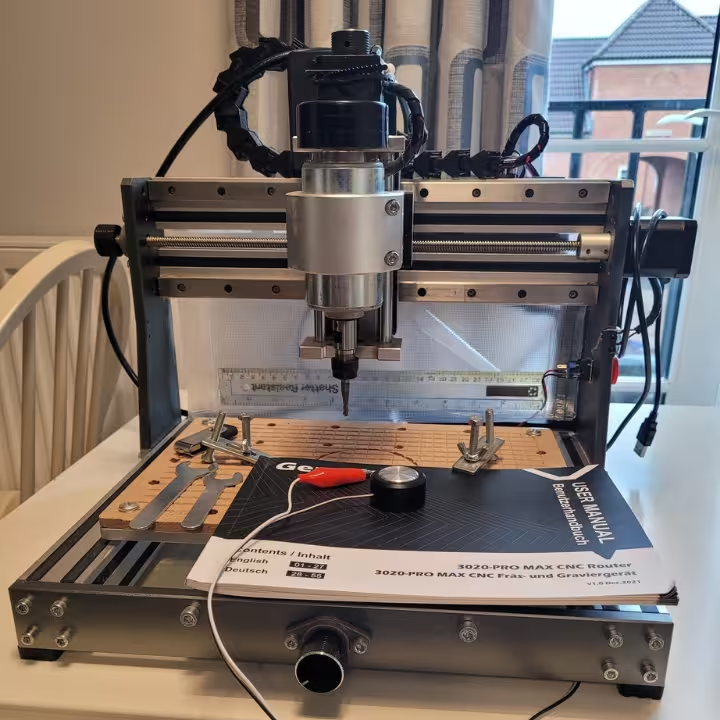
This machine fits the “step-up” niche where you want a more confident desktop CNC milling machine behavior without going to a much larger router. The feel during cutting is noticeably calmer when the frame is stiffer: the pitch of the cut stays steadier and the machine doesn’t “sing” the same way on corners.
Best step-up upgrade
I recommend it when you’re ready to add limit switches, home reliably, and experiment with light aluminum work while staying compact. Limit switches reduce “travel guesswork,” which prevents the classic beginner crash where the machine tries to keep moving after it’s already at the end of travel—one of the fastest ways to bend an axis or lose squareness.

Genmitsu 3020-PRO MAX V2
- Upgraded frame and structure for improved rigidity and accuracy
- Offline controller enables standalone operation without a PC
- Capable of engraving and milling metal, wood, acrylic, and PCB
- Includes six limit switches for safer homing and travel limits
- Compact 11.8 x 8.1 x 3.1 inch work area for desktop projects
Buy on Amazon
LUNYEE 3018 PRO MAX 500W CNC (more cutting power)
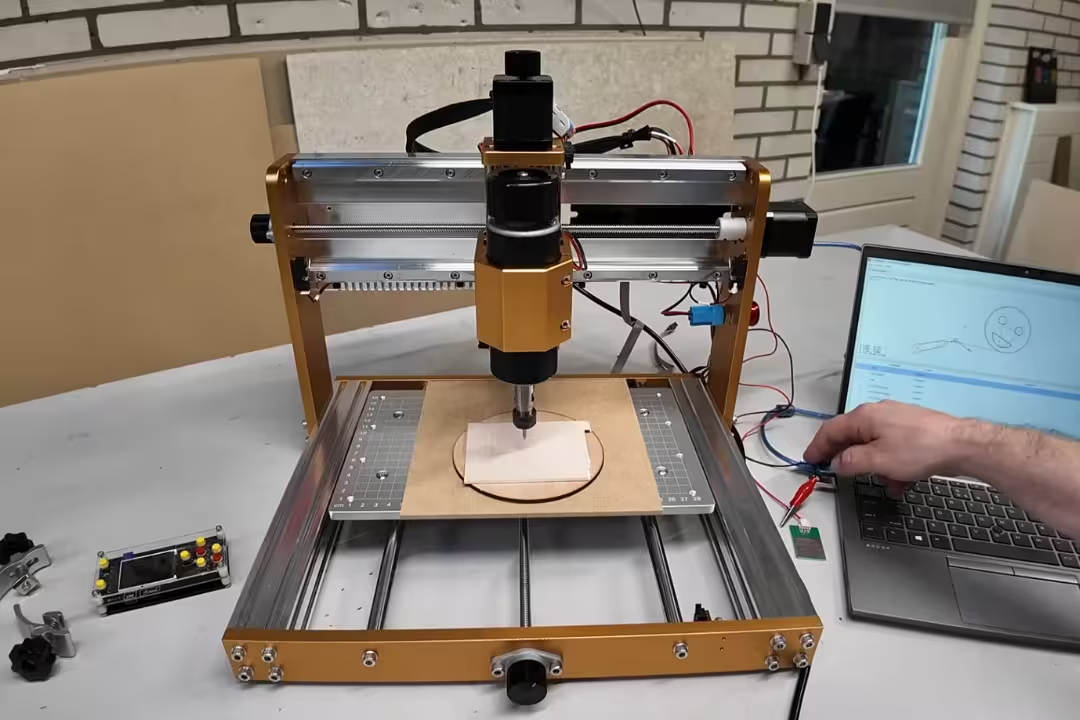
If you like the 3018 footprint but want more bite, this “power pick” focuses on a stronger motor and a deeper Z capacity than many entry kits. Extra power is useful when you want to run larger diameter tools in wood without bogging, but it can also expose workholding weaknesses fast.
Best 3018-style power pick
I’d choose it for MDF, hardwood engraving, and thicker stock where you want fewer step-downs. The beginner trap is assuming 500W means “cut aluminum hard”; you’ll still get the best results by keeping radial engagement low and using proper lubrication or air blast so chips don’t weld to the tool and snap it.

LUNYEE 3018 PRO MAX 500W CNC
- 500W motor provides stronger cutting capability for tougher materials
- All-metal construction with limit switches and emergency stop for safety
- GRBL offline control supports standalone operation
- Suitable for cutting wood, acrylic, MDF, and plastic
- 300 x 180 x 80 mm workspace for deeper cuts and thicker stock
Buy on Amazon
Genmitsu Cubiko Smart Desktop CNC (enclosed & connected)
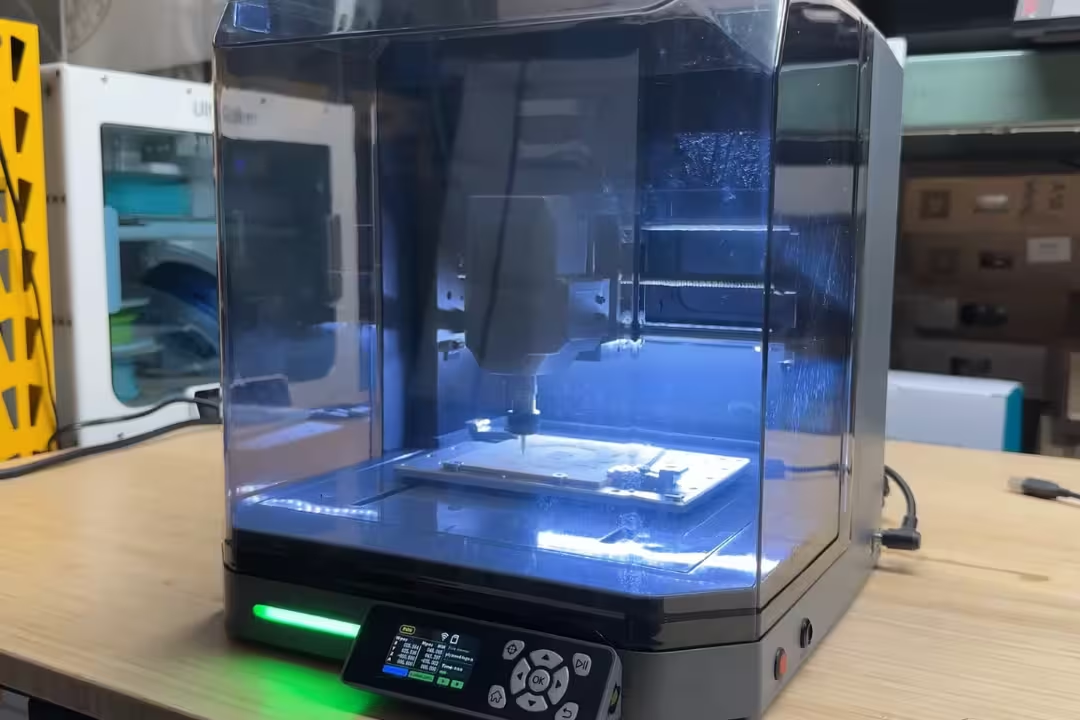
An enclosed desktop CNC changes the day-to-day experience more than most upgrades because it manages mess and makes operation feel contained. The sensory difference is immediate: less fine dust in the air, fewer chips skittering across the bench, and less of that burnt-wood smell lingering in the room after a long engraving job.
Best smart enclosed desktop CNC
This is the pick when you value clean operation, easier Z setup, and wireless job handling for quick iterations. Auto probing helps prevent the classic mistake of setting Z-zero on the wrong surface (top of spoilboard vs. top of stock), which can instantly ruin a part by cutting too deep or leaving a paper-thin skin.

Genmitsu Cubiko Smart Desktop CNC
- Enclosed workspace reduces dust and improves safety and cleanliness
- Auto Z probing for fast and accurate bit zeroing
- WiFi and app control for wireless job transfer and monitoring
- Suitable for milling, polishing, drawing, and PCB work
- Sturdy build for consistent woodworking and hobby projects
Buy on Amazon
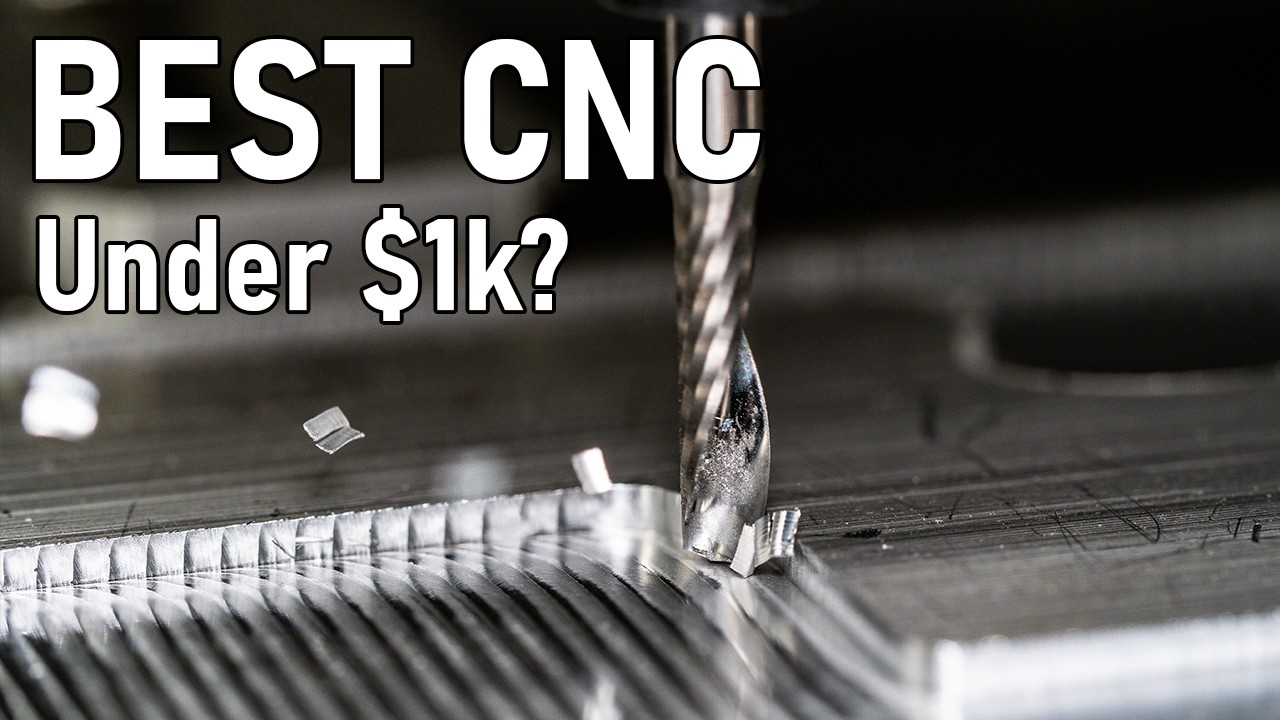
Carvera Air Series (compact CNC mills)
This class of premium compact desktop CNC mill focuses on repeatability and workflow: enclosed cutting, stronger motion control, and time-saving features that reduce babysitting. It’s the sort of machine you pick when you’re tired of “almost right” parts and you want the second and tenth part to match the first without re-tweaking.
Best premium compact mill
I like premium compact mills for small metal parts because they reduce the fiddly steps that cause errors: tool changes, re-zeroing, and dealing with lost steps. Closed-loop motion and better integration can prevent the painful scenario where an axis skips silently mid-job and you only discover it when holes don’t line up and the part is already scrap.
4th axis options
A 4th axis opens doors for rotary engraving, small knobs, rings, and wrapped text, but it also raises fixturing demands. The mistake I see most is clamping a part off-center in the chuck, which causes visible wobble and uneven depth; the fix is to indicate the work (even with a simple printed gauge) and keep tool stick-out short so the cutter doesn’t flex as it traverses the arc.
Here are the Carvera Air options and packs that make sense depending on whether you want basic milling, rotary work, or a bundled setup.

Carvera Air Compact CNC Mill
- Compact enclosed design keeps operations clean and safe
- Closed-loop stepper control boosts repeatable precision
- Quick tool changer speeds up bit swaps and setups
- Includes Makera CAM for streamlined workflow
- Handles both metal and wood for versatile projects
Buy on Amazon

Carvera Air 4th Axis CNC Pack
- Includes 4th axis for rotary and complex machining
- PCB fabrication pack for board milling out of the box
- Enclosed design reduces debris and improves safety
- Quick tool changer and closed-loop control for accurate, efficient jobs
- User-friendly CAM makes setup and milling easier
Buy on Amazon
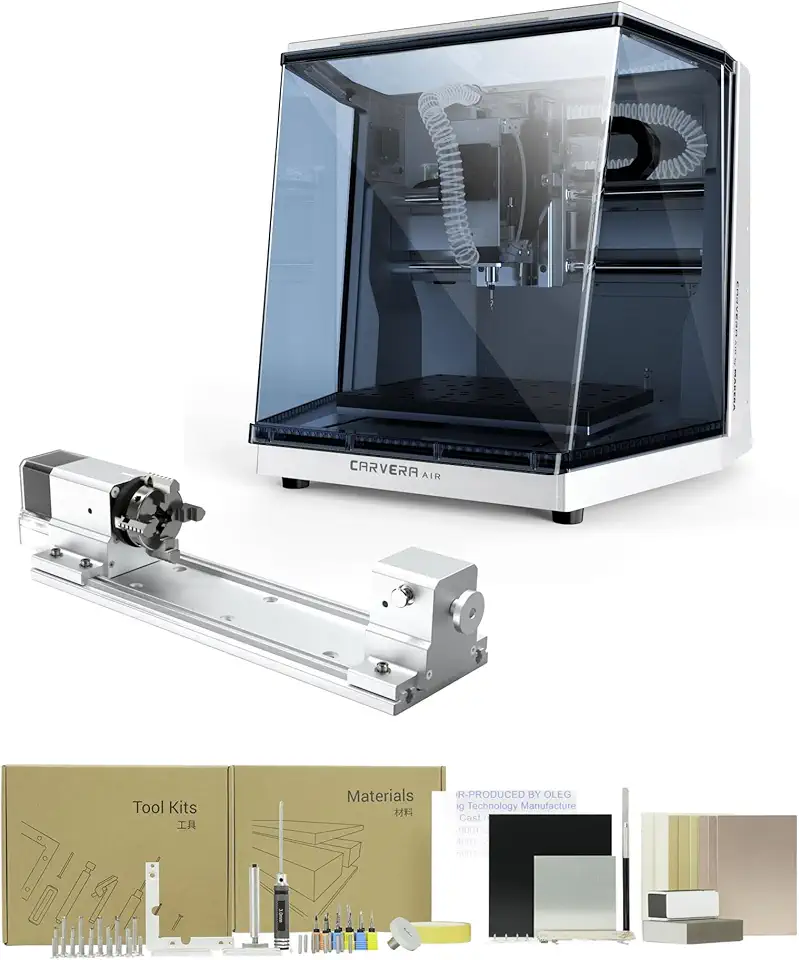
Carvera Air 4-Axis Precision CNC
- Enclosed mini mill for cleaner, safer operation
- 4th axis capability expands rotary machining options
- Makera CAM compatibility for simplified toolpaths
- Quick tool changer reduces downtime between bits
- Closed-loop stepper motors provide reliable accuracy
Buy on Amazon
Genmitsu 4040-PRO / 4040 PRO 3-Axis (larger desktop CNC router)
This is the direction I point people when they keep bumping into “my stock doesn’t fit” problems and want a larger desktop CNC router format without jumping to a full-size shop machine. A bigger bed also makes fixturing easier: you can keep clamps farther from the toolpath and still have room for a dust shoe and probe without crowding the cut.
Best large work area under $1000
I like this category for signs, trays, templates, and multi-part nested cutting in plywood—work where you care about clean edges and consistent depth more than ultra-tight metal tolerances. Pay attention to wasteboard flatness on a larger machine: surfacing becomes a maintenance task, and skipping it leads to pockets that vary in depth across the bed.
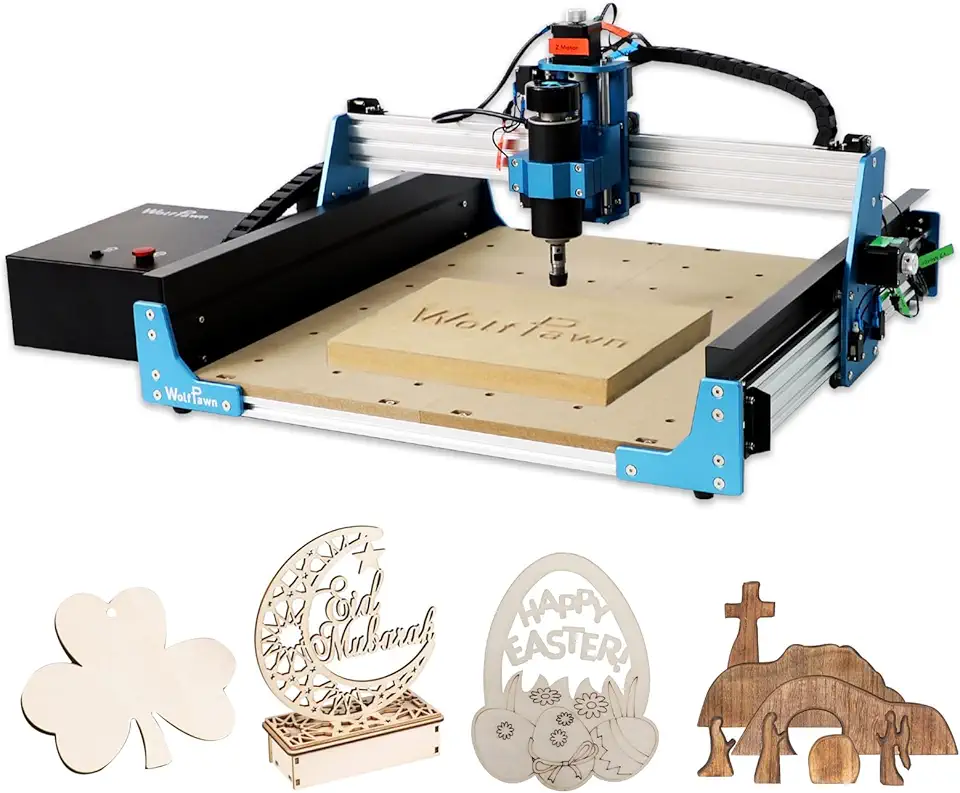
4040 PRO 3-Axis Metal CNC
- All-metal frame with steel wheel driven linear motion for durable accuracy
- 500W trimmer provides cutting power for acrylic and light metals
- Large 15.75 x 15.75 x 2.95 inch work area for bigger projects
- GRBL control makes it compatible with common CAM workflows
- Sturdy build aimed at hobbyists and small shops seeking precision
Buy on Amazon
Essential accessories for desktop CNC milling and routing
The fastest way to improve results on any desktop cnc milling machine is upgrading the “boring” stuff: sharp cutters, solid workholding, and consistent zeroing. Most failures I troubleshoot come down to dull tools, stock lifting, or a bad Z reference point—not the CAM file.
End mills and coatings
A small set of coated 1/8″ shank tools covers most desktop work: 2-flute for plastics and aluminum, plus ball nose for 3D contours. Coatings help with wear and heat, but they don’t fix poor chip clearing—if chips pack into a slot, you’ll hear the cut get louder and the finish turns chalky in acrylic or smeared in aluminum.

Genmitsu 40pc End Mill Set
- Includes 2-flute flat nose and ball nose cutters for diverse finishes
- Nano blue and titanium coatings increase wear resistance
- 1/8 inch shank fits common collets and routers
- Ideal for wood, acrylic, plastic, and soft metal machining
- Assorted sizes cover both roughing and finishing needs
Buy on Amazon
Routers and upgrades
If your desktop cnc router uses a trim router style spindle, treat it like a consumable: bearings wear, runout grows, and small tools snap more often. The pro workaround is to check runout periodically (even a simple dial indicator test) and replace cheap collets early; a $15 collet can save a $30 end mill and a ruined part.
Upgrade priorities that reliably pay off are: a better spoilboard, a dust shoe, proper clamps or a low-profile vise, and a touch probe. Skip flashy upgrades until you’ve solved workholding slip, because a more powerful spindle just makes the stock move faster when the cutter grabs.
Recommended software
I keep software choices boring: CAD you can tolerate daily, CAM that has clear tool libraries, and a sender that shows you coordinates and lets you pause cleanly. Beginners often mix up machine coordinates and work coordinates; the workaround is to set up a repeatable origin (corner stop or dowel pins) and document whether your CAM zero is stock top or spoilboard top before every run.
Practical Notes From Real-World Use
The biggest surprise for most first-time owners is how much time goes into the “invisible” steps: squaring the frame, tramming the spindle, surfacing the spoilboard, and dialing in dust collection. If you skip those, the machine still moves, but parts come off with little symptoms—edges feel fuzzy, pocket floors look stripey, and fits get inconsistent.
Early on, I’ve seen offline controllers cause a false sense of safety: jobs run fine until you need a quick feed override on a tricky section (like a deep slot in acrylic where chips start to weld). Keeping a computer connected for first cuts gives you better control when the sound changes from a steady hiss to a harsh chatter, which is your cue to reduce depth of cut or increase chip clearing before you break a bit.
Workholding failures are the most expensive “small” mistake. Double-sided tape can feel solid at first, then mid-job the adhesive warms and the part creeps; you’ll notice the cutter tone change and the surface finish suddenly gets rough—stop immediately, re-clamp, and re-zero. My workaround is combining tape with mechanical stops (simple edge fences or dowel pins) so the part can’t drift even if adhesive softens.
Finally, dust control affects accuracy more than people think: chips under the stock act like shims and throw Z depth off across the part. A quick habit that prevents this is vacuuming the spoilboard and the underside of the stock before clamping; you can feel the difference when you press the work down—it sits with a satisfying, solid contact instead of rocking on grit.
FAQs
What Is A Desktop CNC?
A desktop CNC is a compact, computer-controlled cutting machine designed for small-scale routing, milling, drilling, and engraving.
It uses stepper motors and a spindle or router to move tools along X, Y, and Z axes for precise material removal. Desktop models are ideal for hobbyists, prototypers, and small workshops working with wood, plastic, soft metals, and PCB materials.
Can Desktop CNC Cut Steel?
Yes, some desktop CNC machines can cut thin, mild steel but require the right setup.
You’ll need a rigid frame, a powerful spindle, appropriate cutting tools, slow feeds, and proper coolant or lubrication to avoid tool wear and heat. For thicker or hardened steel, a larger industrial mill or waterjet is safer and more efficient.
What Software And File Formats Do I Need To Run A Desktop CNC?
You need CAM software to generate toolpaths and G-code from vector or 3D model files.
Common input formats include DXF, SVG, STL, and STEP, while typical CAM outputs are G-code (.nc, .tap, or .gcode). Many users also use CAD tools like Fusion 360, FreeCAD, or Inkscape to prepare designs before CAM.
Is It Worth Converting A 3D Printer Into A Desktop CNC Or Should I Buy A Purpose-Built Machine?
Converting a 3D printer into a CNC can be a low-cost experiment but often has performance limits compared with purpose-built machines.
Printers typically lack the rigidity, spindle power, and precise motion needed for heavy milling and work best for soft materials and light engraving. If you plan regular metal or high-precision work, investing in a purpose-built desktop CNC is usually a better long-term choice.